Scribe records your client calls, transcribes them and writes the summary, tasks and follow-up e-mail on your own computer. No bot joins the call. Nothing is uploaded unless you choose to.
GET EARLY ACCESSWorks with Teams, Zoom, Google Meet, WhatsApp and any other call app.Meeting bots send every word to someone else's cloud. That's fine for a stand-up. It's not fine for a client telling you about their money, their health or their business.
Client calls all day, follow-ups that can't slip. Scribe keeps every promise — yours and theirs — per client, and briefs you before the next call.
Tax advisers, lawyers, coaches, HR. Run it fully local: the recording, transcript and summary never leave the computer.
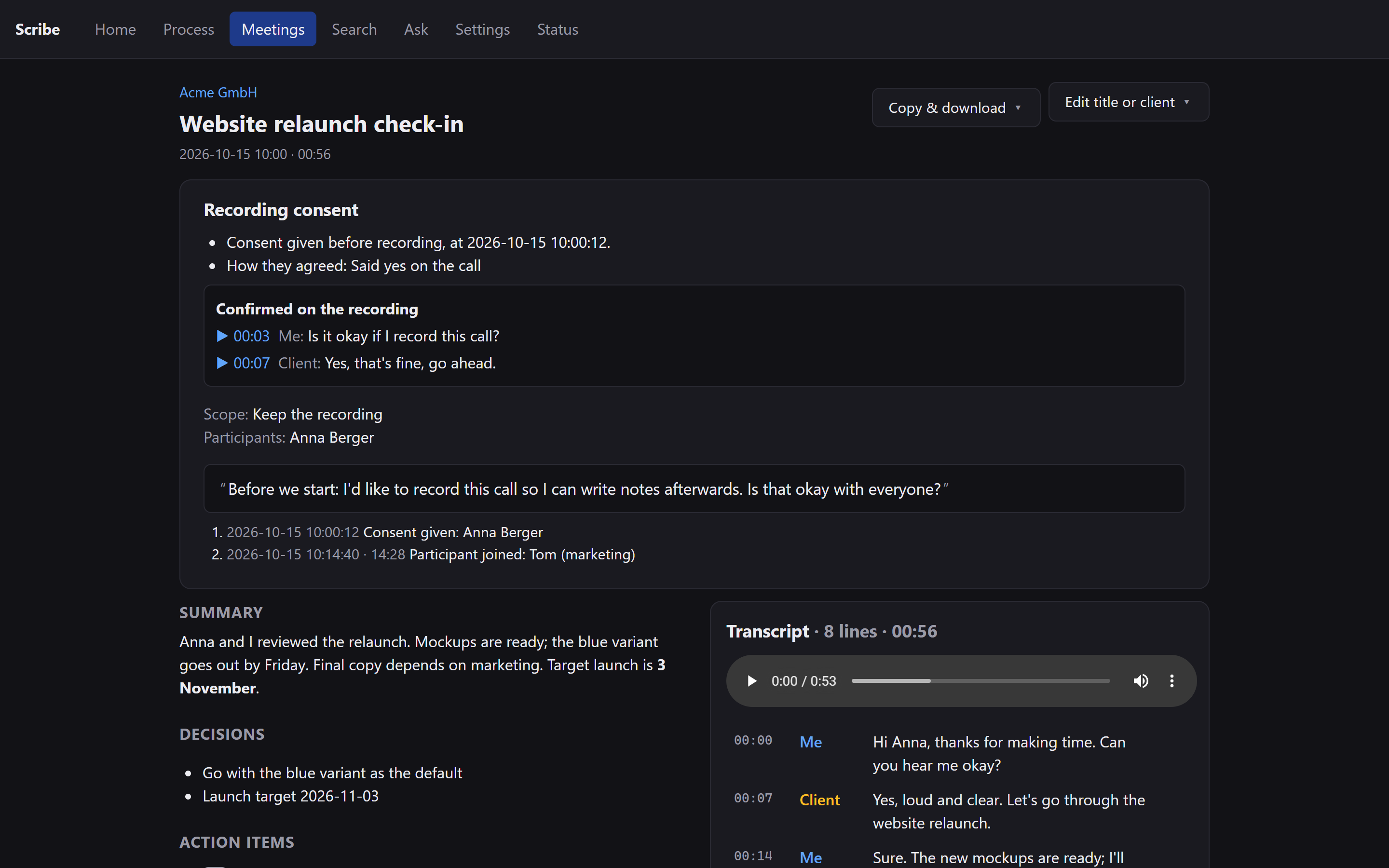
Scribe gives you the consent sentence to read out, records both sides from your own PC, and keeps a dated record of the yes.
Transcript, summary, decisions, tasks with owners and due dates, and a follow-up e-mail ready to send.
Per client: what you owe, what you're waiting on, and what was said last time — on one page.
“What did we agree on pricing in March?” Answers that link to the exact meeting.
Nobody new in the callScribe records your microphone and your speakers on your own PC. No assistant joins, no meeting platform account needed.
Fully offline if you wantTranscription and summaries can run on the laptop itself. Prefer sharper summaries? Use your own AI provider key — only the text is sent, never the audio.
Consent built inAsk before every call, record ongoing consent per client, or keep only your own microphone when someone says no.
| Scribe | Typical cloud note-taker | |
|---|---|---|
| A bot joins your call | No | Usually |
| Audio uploaded | No (cloud transcription only if you turn it on) | Yes |
| Can run fully offline | Yes | No |
| Consent workflow and record | Built in | Varies |
| Where your meetings live | A folder on your PC | The vendor's servers |
| Works with any call app | Yes, incl. WhatsApp and phone via PC | Mostly Zoom, Teams, Meet |
A Windows 10 or 11 PC (we test on 16 GB of memory), about 5 GB of disk space, and headphones for calls. Mac is not supported yet.
Calls in most European languages. The app itself is in English, German, French, Spanish and Portuguese.
In many countries every participant has to agree first. Scribe helps you ask and keeps a record of the answer, but the rules are yours to follow — check what applies where you work.
Octara Labs, a small software studio in Portugal. We built Scribe for our own client calls and use it ourselves.
Early access is free while we learn from the first users. Pricing comes later; early users will hear first.
Yes. We install and configure it with you, including the consent wording for your clients.
We're letting in a small group of consultants and advisers. Tell us what you do and which call apps you use.